OpenClaw All in One
Your Mac, Your AI, Your Rules.
The ultimate local-first AI automation tool for Mac. It controls your real browser, reads your local files, and lets you command it from Telegram.
MacClaw is free, open source, and ready out-of-the-box · Bring your own API keys or subscribe for managed keys
Get started in 3 simple steps
No complex setup, no terminal required. Just download, connect, and go.
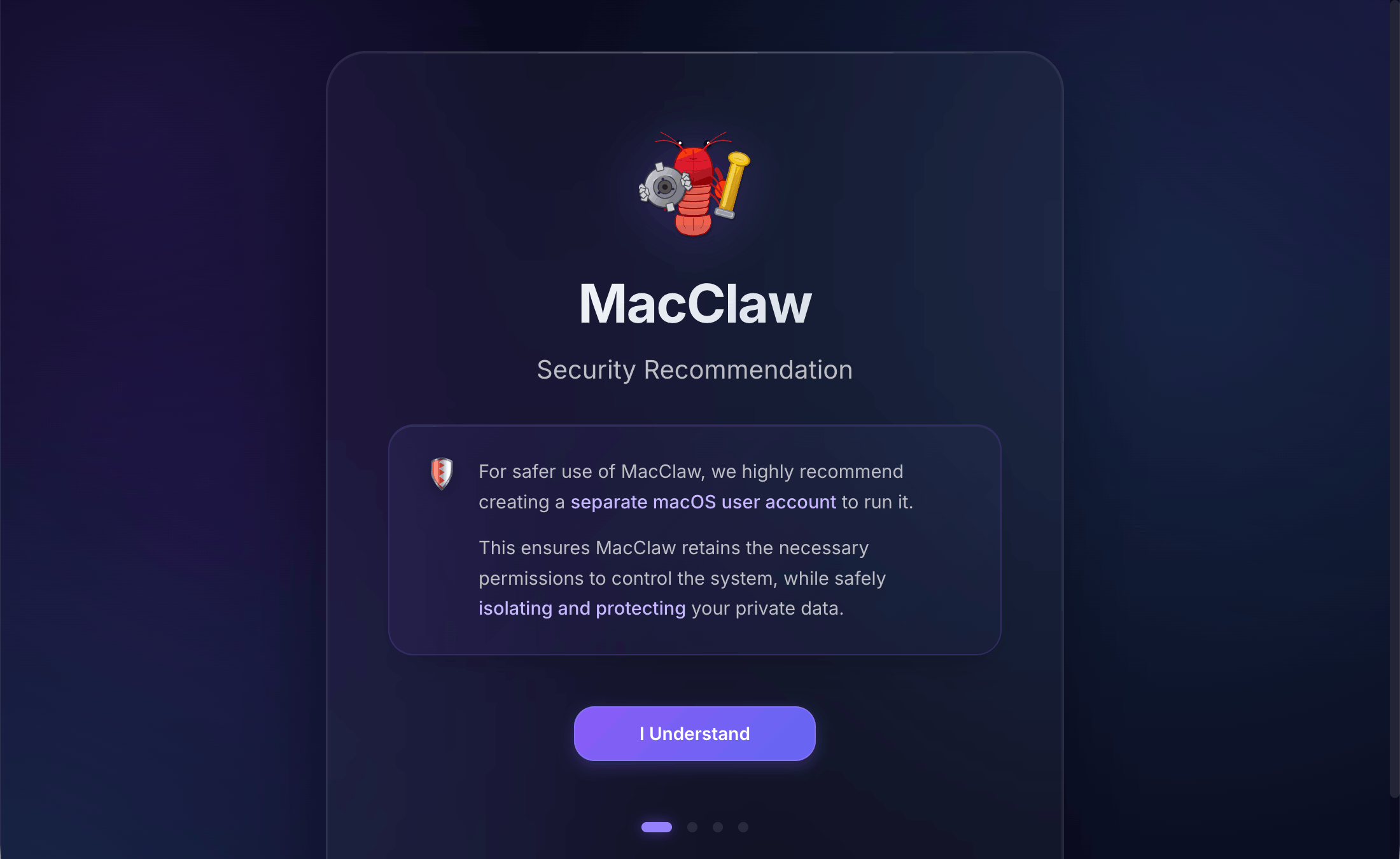
Install & Run
Download and open MacClaw.
🔒 Security Tip: To guarantee absolute privacy, create a dedicated macOS user account for MacClaw to run in.
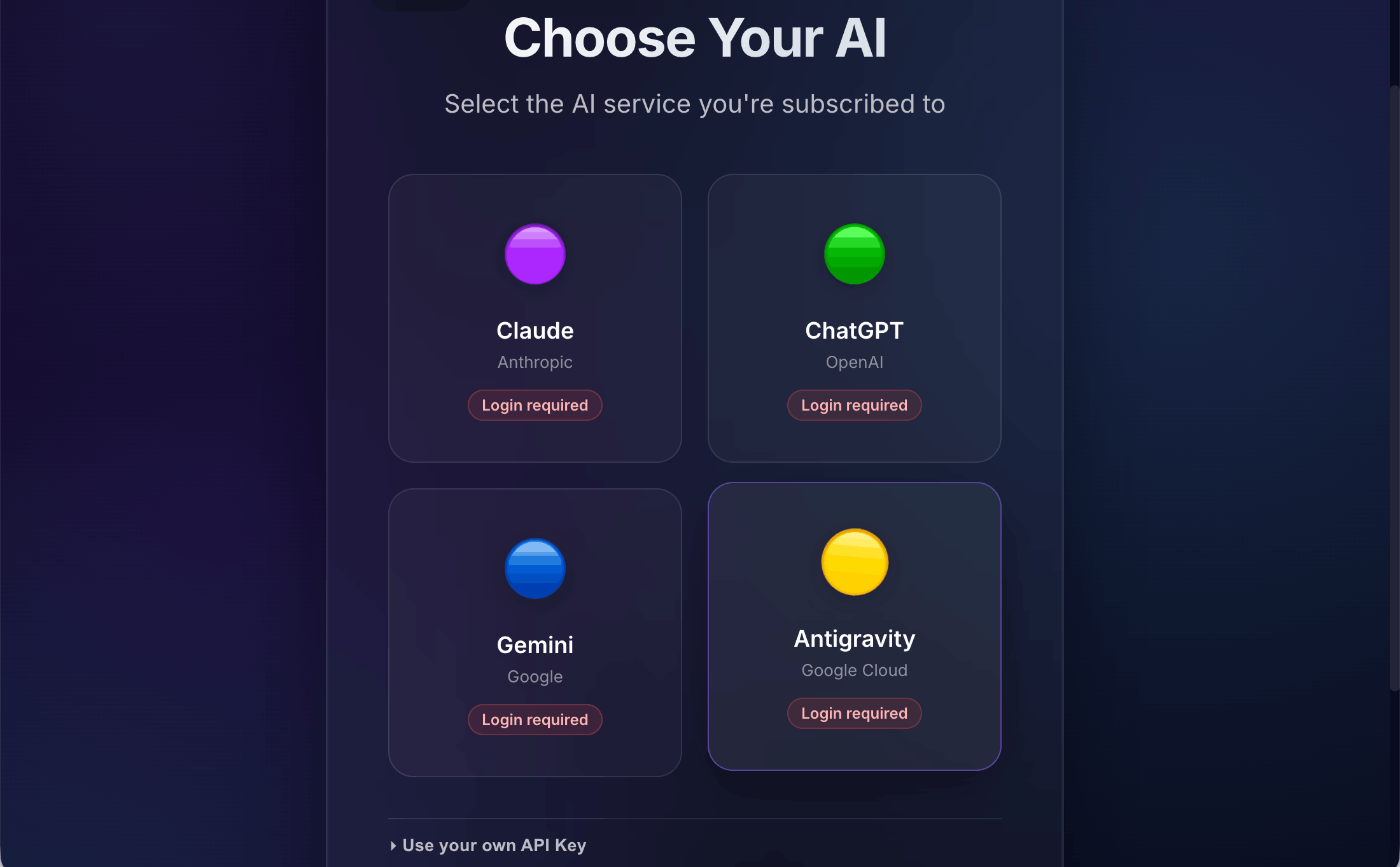
Connect AI
We recommend logging in directly with your ChatGPT, Gemini, or Claude subscription to reuse your existing accounts. Alternatively, you can provide your own API keys.
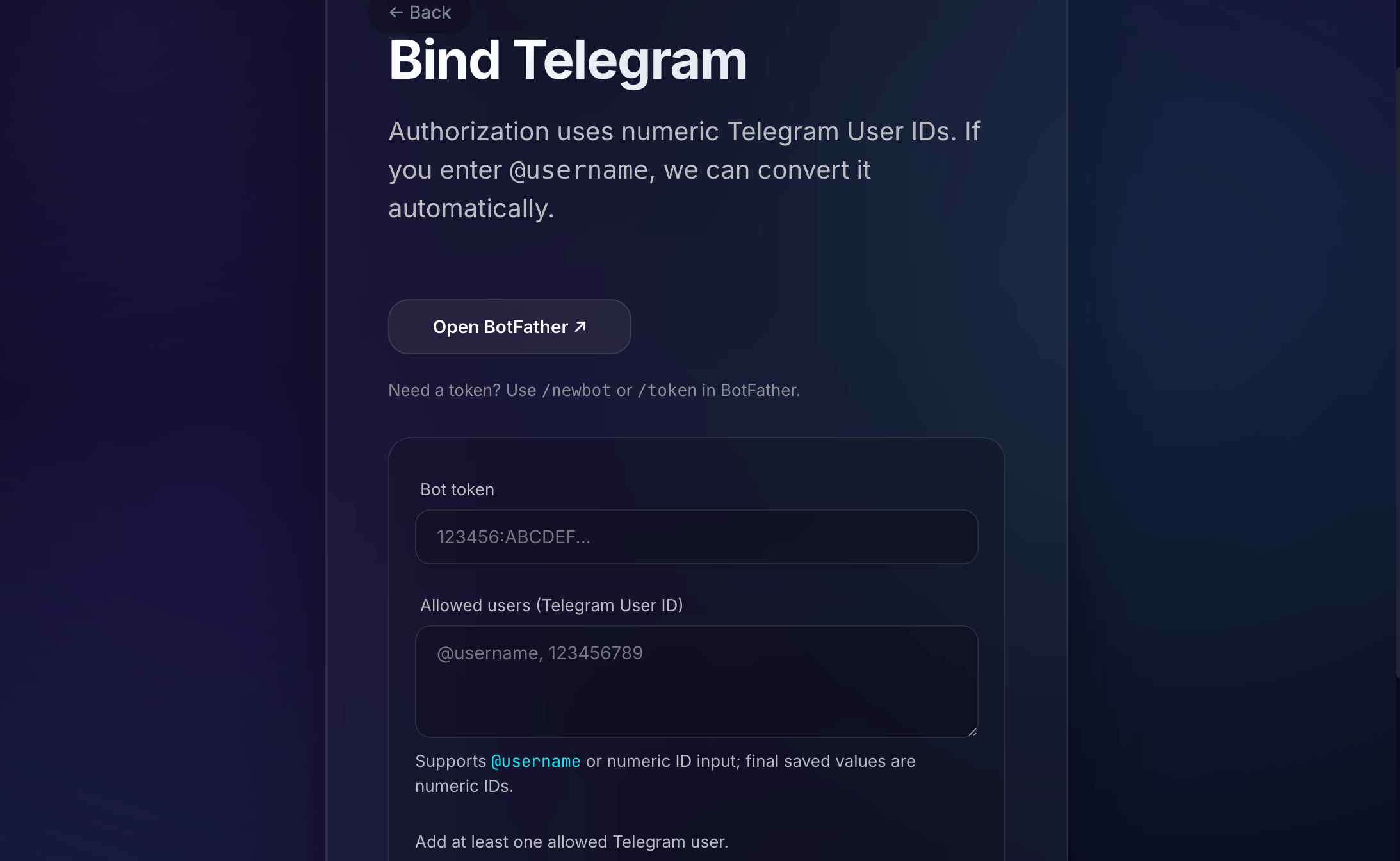
Link Telegram
Link your Telegram account to command MacClaw from your phone, anywhere in the world. Only you have remote access to your local machine.
What makes MacClaw different?
Most AI automation tools run on remote servers. That means your files, browser sessions, and private data must leave your machine. MacClaw runs entirely on your own computer — giving the AI direct access to your local files and logged-in browser sessions that cloud solutions simply cannot reach.
What only a local app can do.
These capabilities require running on your Mac. No VPS or cloud product can replicate them.
Your Browser, Your Sessions — Automated
MacClaw controls a real Chrome instance using your actual saved logins. Unlike VPS solutions that have no access to your accounts, MacClaw can log into your HR system, banking portal, or any website you're already signed into — because it's running on your Mac.
Your Local Files — Directly
MacClaw reads files straight from your Mac. No upload required, no data leaves your device. VPS solutions require you to copy files to a remote server before the AI can touch them — MacClaw skips all that.
Remote Control via Telegram
Send tasks to your Mac from anywhere via Telegram. Set an allowlist so only trusted contacts can trigger actions. Your Mac processes the task locally — the message is just the trigger.
Choose Your AI — Claude, ChatGPT, Gemini
MacClaw supports Claude (Anthropic), ChatGPT, Gemini, and Google Antigravity out of the box. Easily switch models anytime. Reuse your existing subscriptions or API keys to chat instantly.
MacClaw vs the alternatives
Know exactly what you're choosing. Honest comparison.
~ = possible with workarounds or specific conditions
Tasks no cloud AI can do for you.
Because these require your files and your browser — which only exist on your Mac.
Log In & Do Work For You
"Submit my timesheet on the HR portal."
🔒 Your HR login stays in your browser, never sent to any server.
Process Your Local Files
"Read the last 5 PDFs in my project folder and summarize."
🔒 Files never leave your Mac.
Book & Research Online
"Find the cheapest flight to Tokyo and send me options."
🔒 Browser automation using your real session.
Find & Send Files Remotely
"Send me the quarterly report from my Downloads folder."
🔒 Triggered from your phone via Telegram.
Automate Purchases
"Order my usual coffee beans on Amazon."
🔒 Uses your real Amazon account and saved payment method.
Research & Summarize
"Research the top 5 competitors and give me a summary."
🔒 Web search + AI analysis, results sent to your phone.
Reuse AI Subscriptions & Keys
We recommend logging in with your existing ChatGPT, Gemini, or Claude subscriptions to reuse them. You can also configure your own API keys for full control.
Free forever · Full controlFree Services & Bring Your Own
For advanced capabilities like Voice Transcription, Text to Speech, and Semantic Memory, you can use our provided free services or provide your own API keys.
Free services includedExtend MacClaw's power.
Access advanced tools like Semantic Memory, Speech synthesis, and AI Web Searches seamlessly using our free tier or your own API keys.
AI Image Generation
AI Web Search
Text to Speech
Voice Transcription
Location Search
Semantic Memory
Want maximum security? Use a dedicated macOS user.
Create a separate user account just for MacClaw — on both macOS and Windows. The OS enforces strict boundaries between users, so your personal files become structurally inaccessible to MacClaw, not just hidden by a setting.
Create a Dedicated macOS User
macOS: System Settings → Users & Groups → Add Standard account. Windows: Settings → Accounts → Family & other users → Add account. Name it “OpenClaw”. This account runs MacClaw, completely isolated from your personal account.
Both macOS and Windows enforce strict user account boundaries at the kernel level. Your personal files are invisible to other accounts.
Define a Shared Inbox Folder
Create a shared folder (e.g. /Users/Shared/openclaw-inbox) accessible to both accounts. Only copy files here that you want the AI to process. Your ~/Documents, ~/Desktop, ~/Pictures stay untouched.
OpenClaw literally cannot see files outside what you explicitly share. No app setting can change this — it’s the OS enforcing it.
Run MacClaw as That User
Use Fast User Switching to run MacClaw under the OpenClaw account without logging out. The app and all AI capabilities are sandboxed inside that user’s space. Your main account is never at risk.
Both accounts can run simultaneously. No restart needed.
Drop Files, Get Results
Drop any file into the shared folder, then send a Telegram message to your Mac. MacClaw picks it up, processes it, and sends back the result — all without touching your personal data.
This is the same principle used by enterprise security: least privilege by design, enforced at the kernel level.
OS-Level Isolation
macOS user account boundaries are enforced by the kernel. No app or misconfiguration can bypass them.
Isolated Browser Profile
MacClaw launches a separate Chrome instance — not your personal browser. Your saved logins are never exposed.
Contact Allowlist
Only phone numbers or Telegram usernames you explicitly approve can send commands. Everyone else is ignored.
Localhost Only
The OpenClaw gateway only listens on 127.0.0.1 — never reachable from the internet or your local network.
MacClaw Pro pricing
The app is free and open source. These plans are for managed API keys — skip the account setup, we handle the six AI services for you. Quotas reset monthly.
Free
Try the core experience
- ✓0 / month
AI image generation - ✓30 / month
Web searches - ✓20 messages / month
Text to speech - ✓10 times / month
Voice transcription - ✓20 times / month
Location search - ✓300 / month
Semantic memory
Starter
For casual daily use
- ✓20 / month
AI image generation - ✓120 / month
Web searches - ✓80 messages / month
Text to speech - ✓300 times / month
Voice transcription - ✓50 times / month
Location search - ✓6,000 / month
Semantic memory
Plus
For regular power users
- ✓60 / month
AI image generation - ✓400 / month
Web searches - ✓250 messages / month
Text to speech - ✓1,200 times / month
Voice transcription - ✓150 times / month
Location search - ✓24,000 / month
Semantic memory
Pro
Maximum capacity
- ✓150 / month
AI image generation - ✓1,200 / month
Web searches - ✓700 messages / month
Text to speech - ✓3,000 times / month
Voice transcription - ✓500 times / month
Location search - ✓60,000 / month
Semantic memory
Questions? Contact us
Be the first to try MacClaw.
macOS Apple Silicon beta is live now. macOS (Intel) and Windows versions are in development. Download now and shape what we build next.
Fill out a quick form. We'll invite you when it's ready.